
Command-line tools
The ZooBC public tools let anyone use the chain from a terminal or from their own code. They live at github.com/zoobc/tools, published by the ZooBC Foundation under the MIT licence, which lets anyone build them into their own software, commercial or not, without asking. They are not the node: they talk to a node or a gateway only through its public HTTP API, exactly as any other client does.
Ten languages, one behaviour
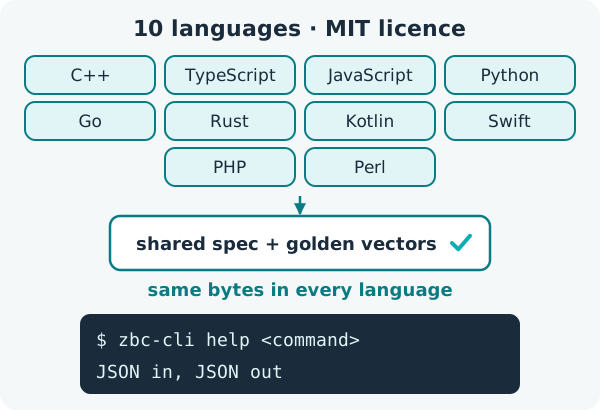
The same tools exist in ten programming languages: C++, TypeScript, JavaScript (a single dependency-free file that a web page loads with one script tag), Python, Go, Rust, Kotlin, Swift, PHP and Perl. Each port offers keys and addresses, transaction building and signing, and zbc-cli, one command for every transaction type. The C++, Go and Rust ports also ship one small program per transaction. The node's own bundle includes the C++ tools, such as zbc-account-gen, zbc-send, zbc-monitor and zbc-cli.
What keeps ten ports identical is one shared specification and one set of golden test vectors (spec/vectors). Every port runs the same vectors in its automatic build checks, and a single differing byte fails the build. A transaction built in Perl is therefore byte for byte the transaction built in Rust.
The zbc-cli contract
zbc-cli behaves the same way in every language, so scripts can rely on it:
- Output: one JSON object on standard output, and an exit code from 0 to 10.
- Where to connect:
--apinames the node or gateway. Without it, the tool reads theZBC_APIenvironment variable, and without that, it useshttp://localhost:8080, a node on the same machine. - Timeouts:
--timeout, or theZBC_TIMEOUTvariable; 20 seconds by default. - The key: the
ZBC_KEYenvironment variable supplies it, so the key stays out of the command line. - Fields:
zbc-cli help <command>lists a command's exact fields;--json-inputtakes them as JSON, and--verboseprints more detail.
zbc-cli help send-zbcEvery amount is a whole number of atomic units (1 ZBC = 100,000,000 units, see ZBC coin and its units). Values such as 1.5, 1e3 or 12abc are refused rather than interpreted.
What else the tools do
The tools also sign and verify off-chain messages, for example to prove to a website that you control an address without sending a transaction (signed and encrypted messages). Like every ZooBC signer, they sign transactions over a digest that includes the chain's genesis hash, so a transaction built for one network is never valid on another (chain-bound signatures).
What they are not
- They are not the node, which has its own repository and licence.
- They do not make blocks or earn coins: blocks come only from registered nodes taking turns (running a node).
- They are not required. A web page can sign transactions with nothing more than Ed25519, SHA3-256 and the chain's genesis hash (building an app as one HTML page); the tools save that work.