
Getting a wallet and keeping it safe
To hold ZBC you need a key, and a wallet is the program that keeps the key and signs with it. The official ZooBC wallet is a single web page that every node serves: there is nothing to install and nobody to register with. This page covers getting started and staying safe; the technical details are in web wallet.
Where to get it
The official wallet is one HTML file. Every ZooBC node serves it at its root address and at /wallet, and the public gateways serve the same page on their own domains (gateways). Open it in a modern browser and you can create a new wallet or restore one from its recovery phrase, see your balances and tokens, and send transactions.
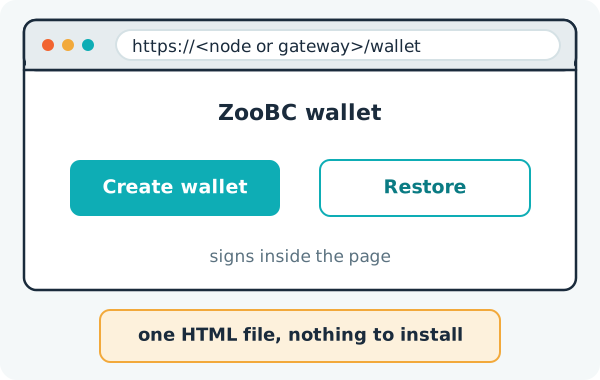
You need no app store and no sign-up: on ZooBC your key is your account (accounts and addresses). The wallet is not a browser extension, and no special device is required.
How it protects your key
The wallet builds and signs every transaction inside the page and sends only the signed bytes to a node. No server, gateway or node ever receives your key, so none of them can sign for you or leak it. On your device the wallet keeps an encrypted vault, unlocked with a 6-digit PIN or a passphrase.
One wallet can hold several accounts, and accounts in other formats too, such as Ethereum or Bitcoin addresses (keys and account types). It can also watch an address without its key, to follow its balance and activity.
The recovery phrase
When you create a wallet it shows you a recovery phrase of 12, 15, 18, 21 or 24 words, following BIP-39, a standard used across the industry. The wallet recommends 24 words, the standard used for ZooBC genesis accounts. From the words it computes a seed, and from the seed it derives your ZooBC keys along the path m/44'/883'/n', where 883 is ZooBC's coin type and n counts your accounts: account 0, account 1 and so on. The same words always give the same accounts, on any device and in any tool that follows the scheme, years later.
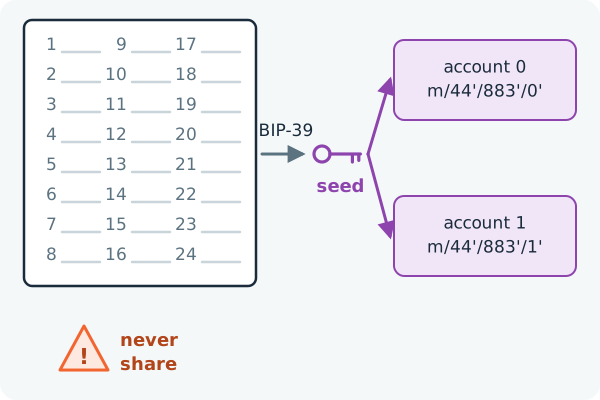
The phrase is the master secret of everything derived from it. Whoever has the words controls the funds, and nobody can reset or recover them for you: no server holds a copy. The phrase does not expire, and it is not your address. Your address is public and meant to be shared; the phrase never is.
Keeping it safe
- Write the words down in order, and keep them offline and private. They are your only backup.
- Never type them into a site or program you do not trust, and never give them to anyone, whatever the reason given.
- Before you type your phrase into a downloaded copy of the wallet, check that the file is genuine: its fingerprint can be looked up on the chain (checking a downloaded file).
- Let the wallet check every address you send to. A mistyped address fails its checksum and is refused before anything is sent.
- To keep a key on a computer that never goes online, use the wallet's air-gap mode: it signs there and shows the signed transaction as text and a QR code, which any online copy of the wallet can submit without a key (web wallet).
Trying it without risk
On testnet, coins have no value and a faucet gives them away, so you can try every feature before you use mainnet (devnet, testnet and mainnet). The networks are separate chains: an address funded on testnet shows a zero balance on mainnet, and a transaction signed for one is not valid on the other.